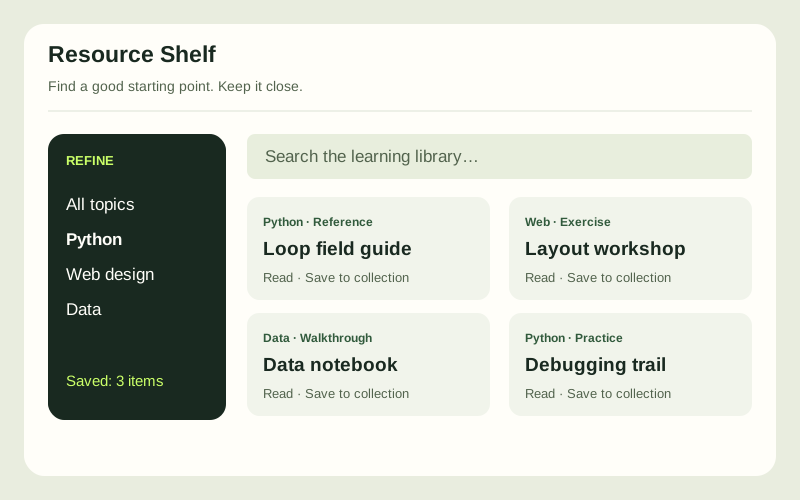
The idea
Help a learner find useful material without losing track of what they saved. The app should explain empty results, survive a refresh and recover when saved data is unavailable.
See this learning levelWhat you will build
- A curated sample catalogue with topic, format, level and estimated reading time.
- Search, sorting and multiple filters that work together, with a clear reset and result count.
- Named saved collections persisted in the browser, plus explicit loading, empty and storage-error states.
How it fits together
Keep catalogue records keyed by stable IDs and store saved IDs separately. Use a single derived search/filter pipeline. Version the browser storage format, validate restored data and discard obsolete IDs without breaking the rest of a collection.
Build milestones
Design the catalogue
Create fictional resource records and decide which fields help a learner choose. Define empty and unavailable-resource states.
Build discovery
Combine search, topic and format filters with sorting. Keep counts and reset behaviour consistent with the visible cards.
Save collections
Add and remove saved resources, name collections and restore them after a refresh. Explain that storage is local to this browser.
Make recovery reliable
Test malformed saved data, unavailable storage and no matches. Offer a useful recovery path without silently losing the user's current work.
How you will know it works
- Search and filters apply together, and clearing them restores the full catalogue.
- A saved item is unique and stays saved after refresh; removed catalogue IDs are handled safely.
- Corrupt or unavailable storage shows an honest message while search remains usable.
What you will finish with
A browser library app, synthetic catalogue, data-schema notes and a recovery test checklist.
Take it further
Add validated JSON export and import for moving a collection between browsers.