Loading your next page…
A look inside the lessons
See Worksheet 1 from each level of both courses. See the steps, exercises and references you will learn with.
Print text and use variables
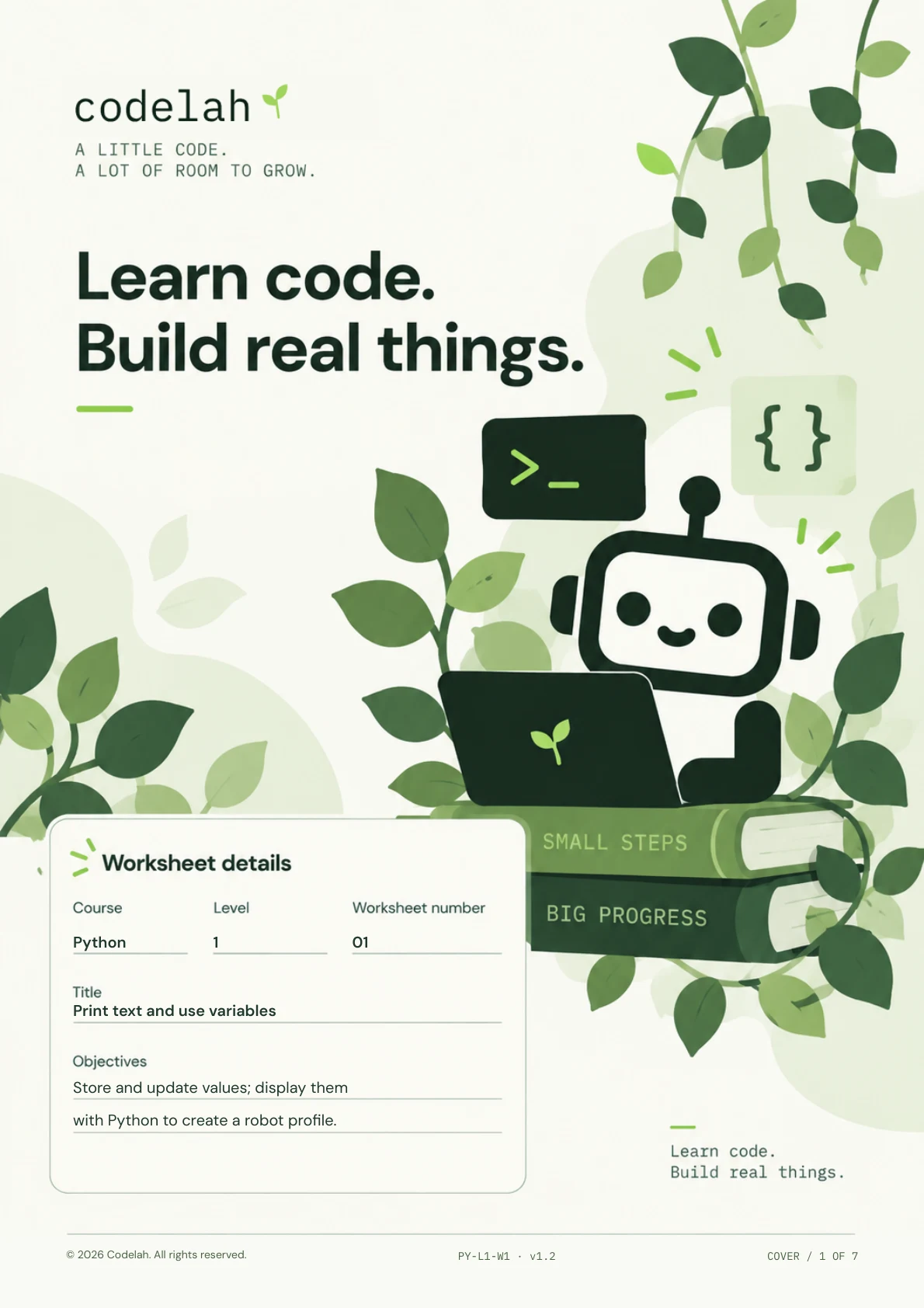
Python                1                01


 Print text and use variables


 Store and update values; display them

 with Python to create a robot profile.


© 2026 Codelah. All rights reserved.                                PY-L1-W1 · v1.2                                COVER / 1 OF 7
codelah                                                                     PYTHONWORKSHEETLEVEL011

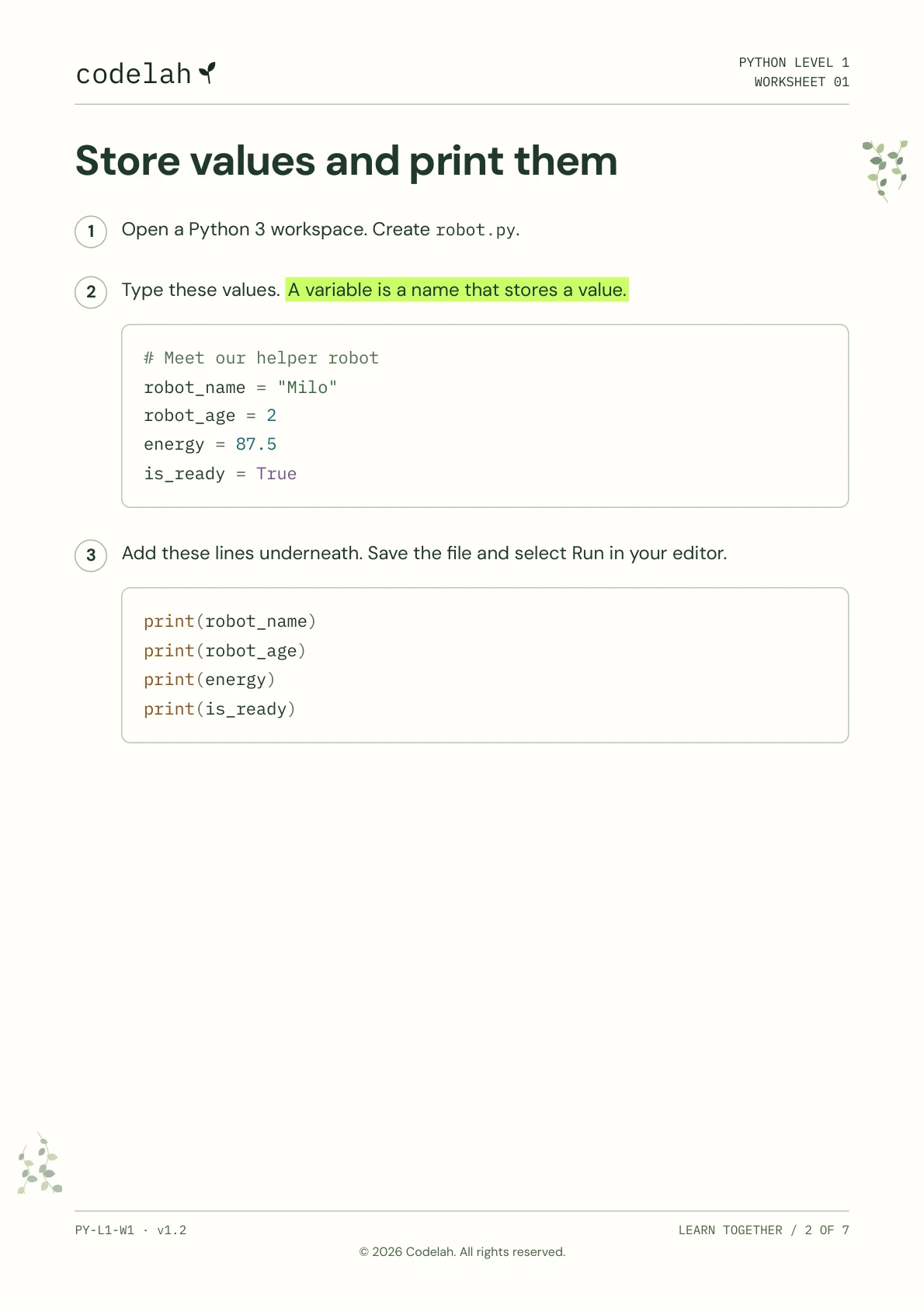
Store values and print them

  1  Open a Python 3 workspace. Create robot.py.


 2  Type these values. A variable is a name that stores a value.


       # Meet our helper robot
       robot_name = "Milo"
       robot_age = 2
       energy = 87.5
       is_ready = True


 3  Add these lines underneath. Save the file and select Run in your editor.


       print(robot_name)
       print(robot_age)
       print(energy)
       print(is_ready)


PY-L1-W1 · v1.2                                                                  LEARN TOGETHER / 2 OF 7

                             © 2026 Codelah. All rights reserved.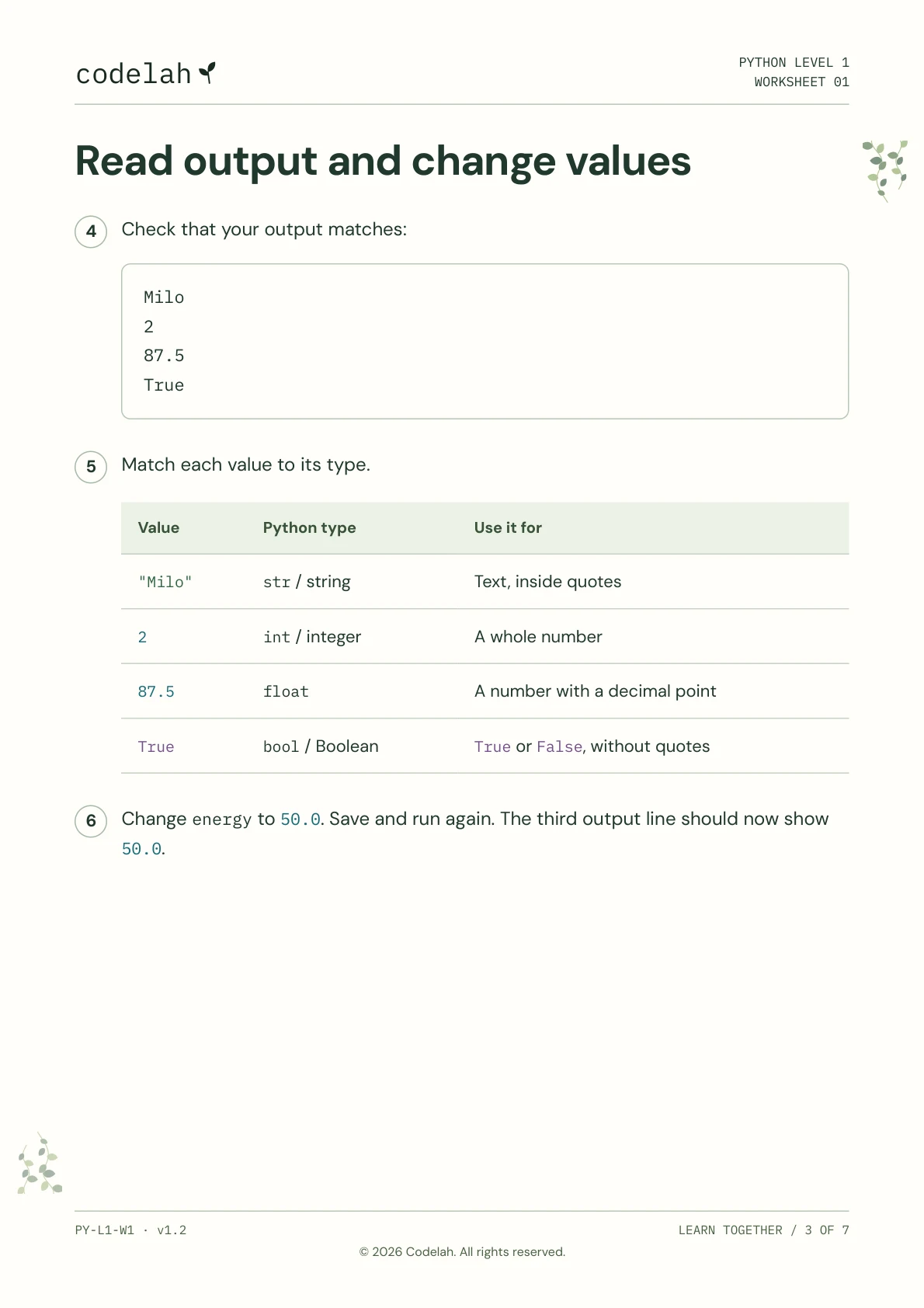
codelah                                                                     PYTHONWORKSHEETLEVEL011

Read output and change values


 4  Check that your output matches:


       Milo
       2
       87.5
       True


 5  Match each value to its type.


       Value         Python type             Use it for


       "Milo"        str / string                 Text, inside quotes


       2             int / integer          A whole number


       87.5          float               A number with a decimal point


       True          bool / Boolean          True or False, without quotes


 6  Change energy to 50.0. Save and run again. The third output line should now show
     50.0.


PY-L1-W1 · v1.2                                                                  LEARN TOGETHER / 3 OF 7

                             © 2026 Codelah. All rights reserved.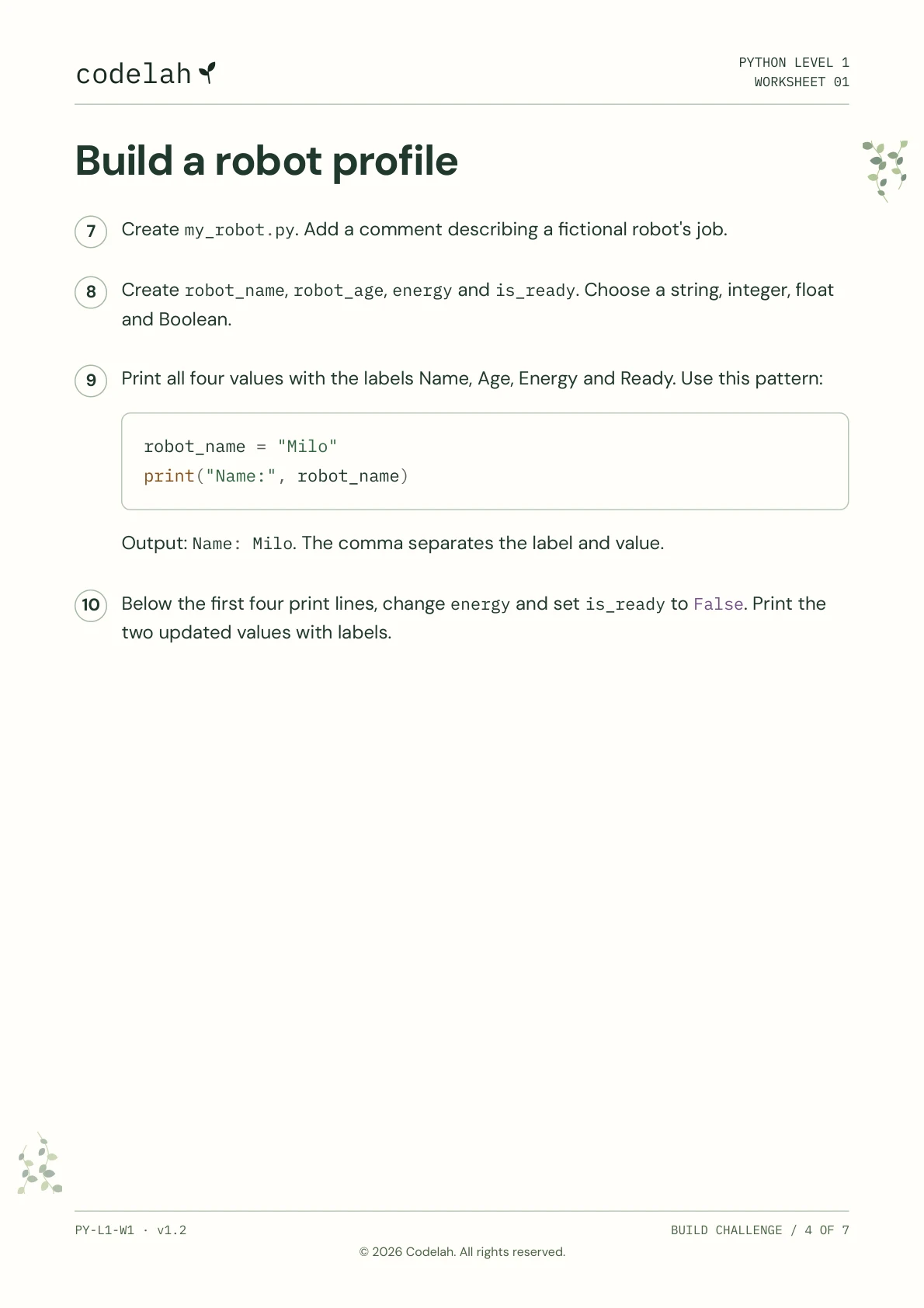
codelah                                                                     PYTHONWORKSHEETLEVEL011

Build a robot profile

 7   Create my_robot.py. Add a comment describing a fictional robot's job.


 8   Create robot_name, robot_age, energy and is_ready. Choose a string, integer, float

    and Boolean.


 9   Print all four values with the labels Name, Age, Energy and Ready. Use this pattern:


       robot_name = "Milo"
       print("Name:", robot_name)


     Output: Name: Milo. The comma separates the label and value.


 10  Below the first four print lines, change energy and set is_ready to False. Print the

    two updated values with labels.


PY-L1-W1 · v1.2                                                                 BUILD CHALLENGE / 4 OF 7

                             © 2026 Codelah. All rights reserved.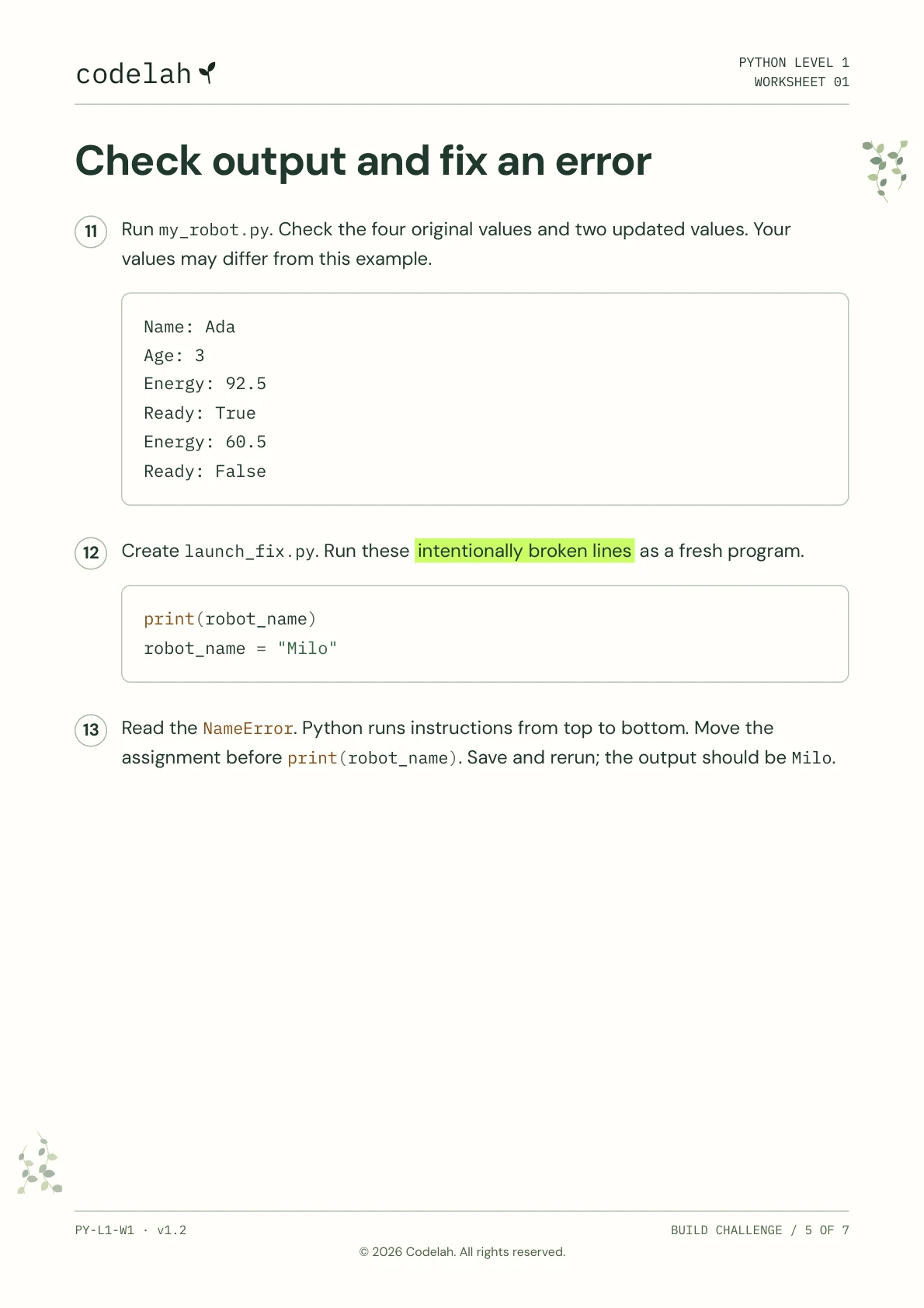
codelah                                                                     PYTHONWORKSHEETLEVEL011

Check output and fix an error

  11  Run my_robot.py. Check the four original values and two updated values. Your

     values may differ from this example.


       Name: Ada
       Age: 3
       Energy: 92.5
       Ready: True
       Energy: 60.5
       Ready: False


 12  Create launch_fix.py. Run these intentionally broken lines as a fresh program.


       print(robot_name)
       robot_name = "Milo"


 13  Read the NameError. Python runs instructions from top to bottom. Move the
     assignment before print(robot_name). Save and rerun; the output should be Milo.


PY-L1-W1 · v1.2                                                                 BUILD CHALLENGE / 5 OF 7

                             © 2026 Codelah. All rights reserved.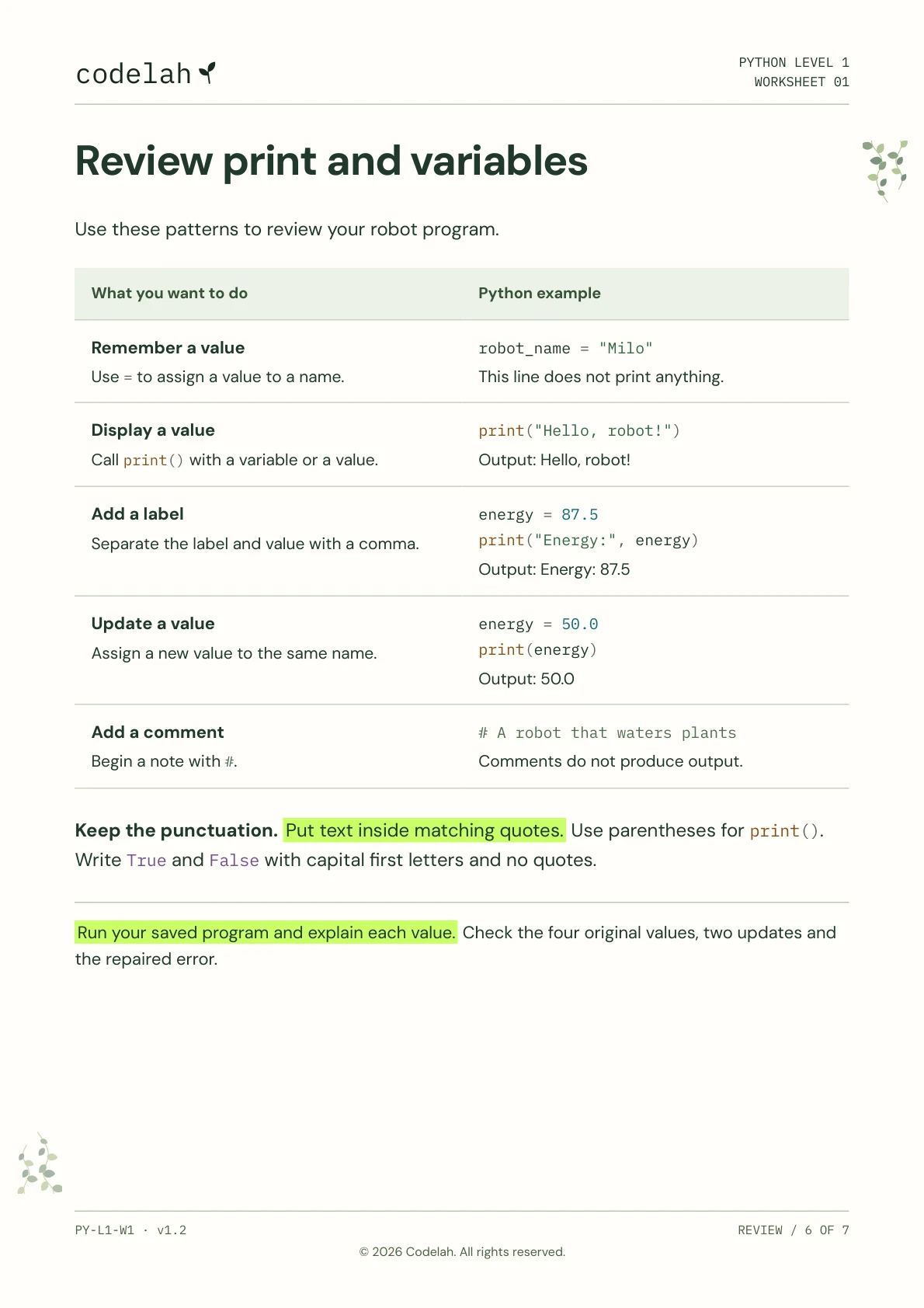
codelah                                                                     PYTHONWORKSHEETLEVEL011

Review print and variables


Use these patterns to review your robot program.


  What you want to do                         Python example


 Remember a value                         robot_name = "Milo"

  Use = to assign a value to a name.                  This line does not print anything.


  Display a value                             print("Hello, robot!")

  Call print() with a variable or a value.            Output: Hello, robot!


 Add a label                                energy = 87.5
  Separate the label and value with a comma.      print("Energy:", energy)

                                                 Output: Energy: 87.5


  Update a value                             energy = 50.0
  Assign a new value to the same name.           print(energy)

                                                 Output: 50.0


 Add a comment                            # A robot that waters plants

  Begin a note with #.                       Comments do not produce output.


Keep the punctuation. Put text inside matching quotes. Use parentheses for print().
Write True and False with capital first letters and no quotes.


Run your saved program and explain each value. Check the four original values, two updates and

the repaired error.


PY-L1-W1 · v1.2                                                                          REVIEW / 6 OF 7

                             © 2026 Codelah. All rights reserved.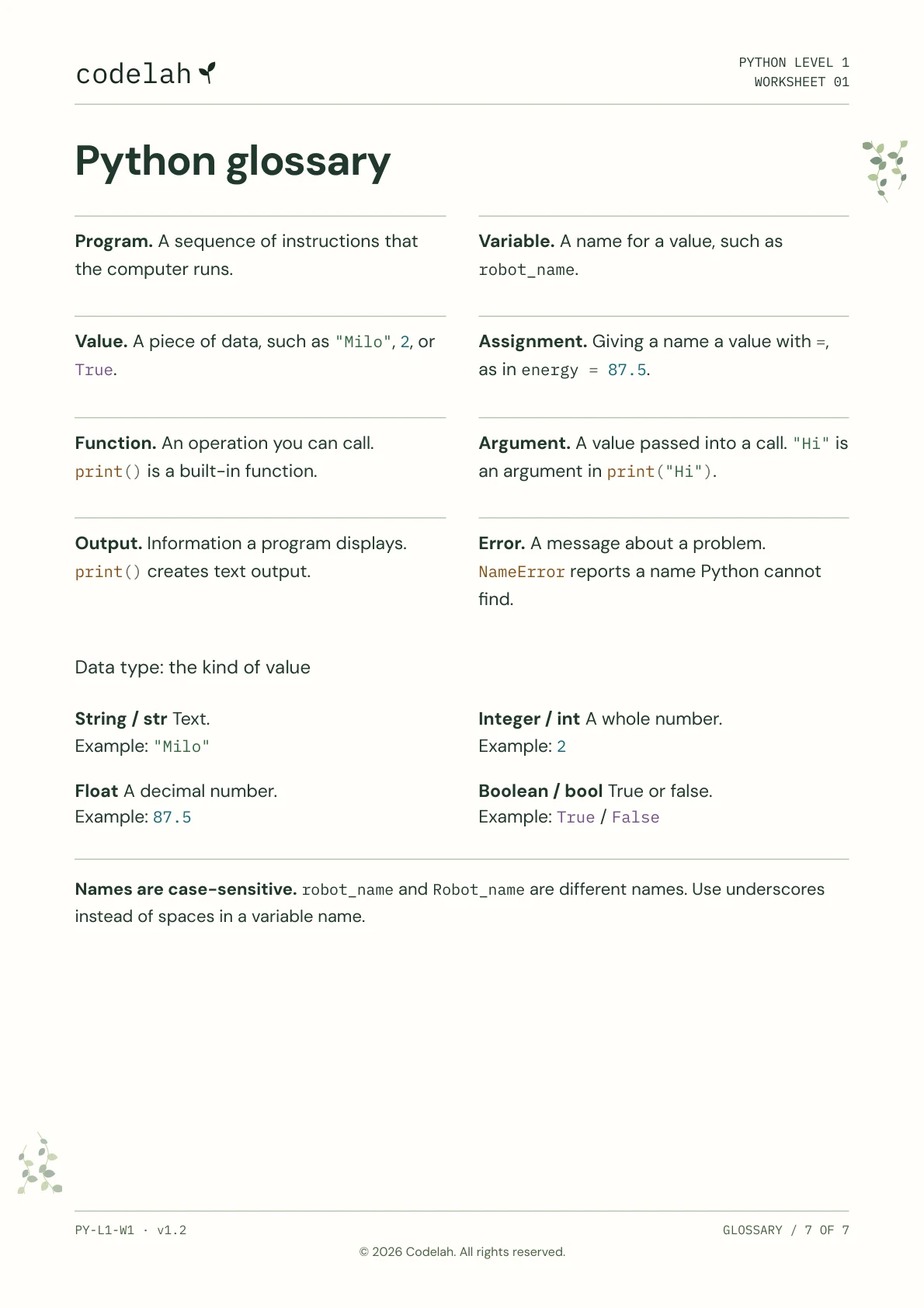
codelah                                                                     PYTHONWORKSHEETLEVEL011

Python glossary


Program. A sequence of instructions that       Variable. A name for a value, such as
the computer runs.                           robot_name.


Value. A piece of data, such as "Milo", 2, or    Assignment. Giving a name a value with =,
True.                                       as in energy = 87.5.


Function. An operation you can call.          Argument. A value passed into a call. "Hi" is
print() is a built-in function.                an argument in print("Hi").


Output. Information a program displays.         Error. A message about a problem.
print() creates text output.                 NameError reports a name Python cannot

                                                          find.


Data type: the kind of value


String / str Text.                              Integer / int A whole number.
Example: "Milo"                             Example: 2

Float A decimal number.                    Boolean / bool True or false.
Example: 87.5                               Example: True / False


Names are case-sensitive. robot_name and Robot_name are different names. Use underscores

instead of spaces in a variable name.


PY-L1-W1 · v1.2                                                                        GLOSSARY / 7 OF 7

                             © 2026 Codelah. All rights reserved.
Page 1 of 7